Create Patterns for Area Measurements

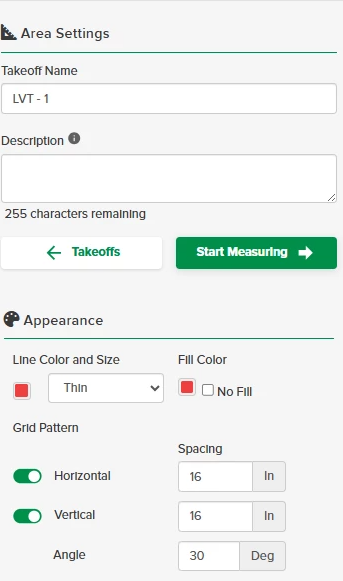
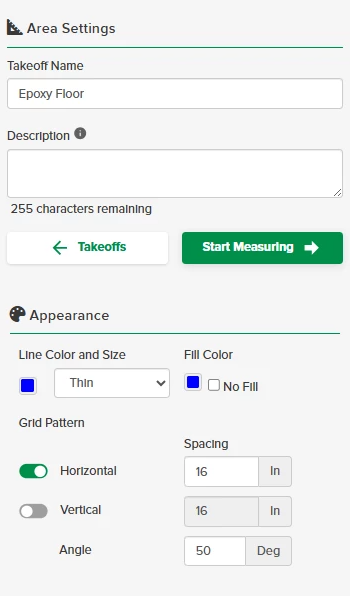
Aside from using the Grid Pattern to Explode areas to create additional takeoffs, you can use it to define areas. Located in the Takeoff Settings, Grid Pattern allows you to select horizontal, vertical and angled patterns.
The Grid Pattern is available on all area type measurements (Area, Pitched Area and Volume 2D).
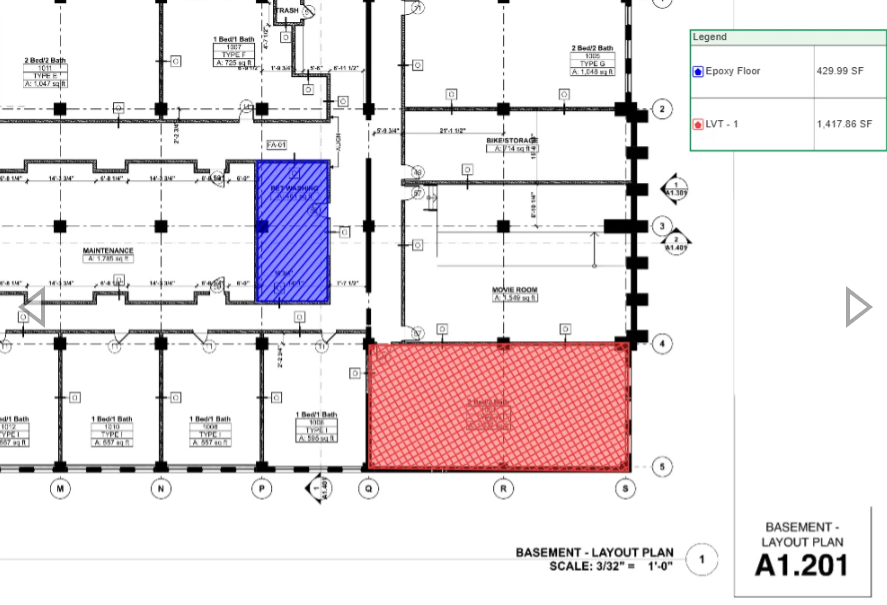
In this example I am using the Grid Pattern to define the different types of flooring.
Grid Pattern can be used in many different trades like landscaping to differentiate various ground coverings and civil trades to show visual difference between concrete vs asphalt.
0
Comments
Jason Armstrong
This is also extremely useful for any finish take offs that utilize a rectangular or square product. For example, tile take offs are notorious for coming up short when using square footage. I do an area take off and then use the grid tool to visualize the tile layout (define the tile size in the grid). As most layouts are aligned with other elements, like shower heads, i can then judge wether or not drops will be useable or waste and do an actual tile count. This way you can do a count from an area and then add waste as needed. If the same tile is used in multiple locations this give you a “by room” tile count take off that is much more accurate then just taking off the square footages of all the areas with that tile spec. This can also work with materials like plank flooring, sheetrock, and patio stones. Basically anywhere you have a lot of pieces with know dimensions.
STACK_Brenda
Perfect example of how you can utilize the Explode feature to create a count takeoff from an area where you have applied a horizontal/vertical spacing pattern!!
Jason Armstrong
@STACK_Brenda I don’t use the explode function here because the count function will pick up all partial pieces. I only use grid to visualize it and then make the final piece count determination. Obviously you could explode to count and then manually edit the quantity in the estimate worksheet as needed.
STACK_Brenda
@Jason Armstrong That is a great additional comment, Jason! It will count even the partial areas, but as you said, you can either adjust the count takeoff (that has been created through explode), either on the estimate worksheet or you can remove the count symbols on the plan for those partial areas.
Jason Armstrong
@STACK_Brenda This is why I appreciate you guys. You have a very kind way of helping me see the easier solution. I do tend to overcomplicate things.
Please sign in to leave a comment.