No One's Gonna Know!

Posted by: MiguelTheSeniorTrainer
The Distribute check mark under the Other Costs section of the Estimating tab allows users to evenly allocate indirect costs (e.g., overhead, taxes, or contingency fees) across all items or assemblies in an estimate, ensuring these costs are proportionally included in the total project cost.
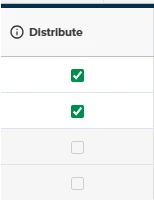
When checked, the software automatically distributes the specified cost (entered as a percentage or fixed amount) to each line item in the Estimate Worksheet, simplifying the process of factoring in expenses like administrative fees or profit margins without manually assigning them to individual takeoffs.
This feature enhances efficiency, improves estimate accuracy by reducing manual calculations, and ensures consistency in cost allocation, making it ideal for complex projects like for example, a concrete slab estimate where indirect costs need to be seamlessly integrated
Comentarios
Iniciar sesión para dejar un comentario.