Using our AI tools (Draw Mode/ AI Assist)

Posted by: Devon Streckfuss
STACK offers two AI-powered tools to help you complete your Takeoff measurements faster. Those tools and their function are described below:
-
Draw Mode - After it processes a plan, “Draw Mode” allows you to click segments of your plan to automatically create takeoffs for which ever segment you select.
The Draw Mode tool is only selectable once you've started measuring with a Takeoff on one of your plans. You’ll see it's button appear in the toolbar on the right side of your screen once you start measuring.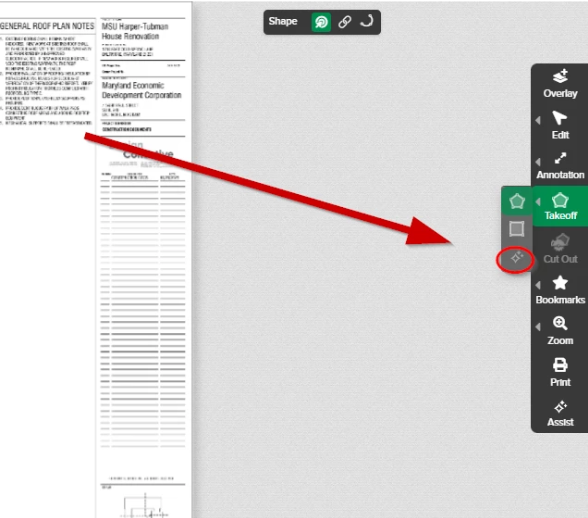
If you see the icon, but it is not selectable, this means that the specific plan you're viewing is not compatible with our Draw Mode AI Model.
NOTE: The AI Assist tool may be able to process some plans that the Draw Mode tool cannot. -
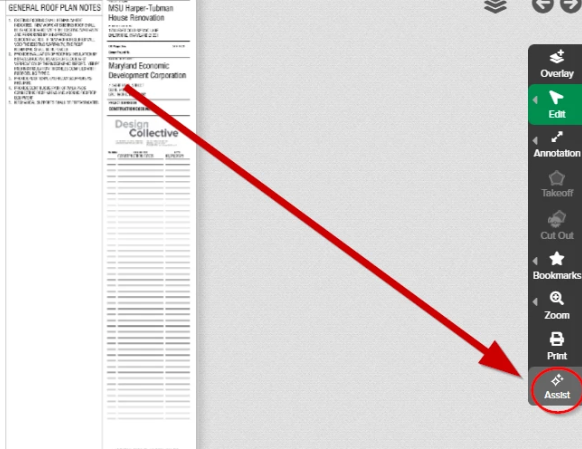
AI Assist - This tool will search your plan sheet to find the option(s) you select - Doors, Rooms, Windows, and/or Walls. Based on the data it finds, it will automatically create a takeoff for each option, which will be displayed on your Takeoff List. All of the measurement(s)/count(s) detected for the selected option(s) will automatically be drawn on the plan sheet and added to the associated takeoff that was created.
You’ll find the button to use this tool at the bottom of the toolbar displayed while viewing a plan:
Comentarios
Iniciar sesión para dejar un comentario.